About Resizer Photo
A private, completely free website with over 100 image tools, made for everyone who works with images. No signup and no fees.
Built for Anyone Who Works With Images
Resizer Photo was made with one simple goal: to give everyone an easy way to edit images. It's a powerful tool, and it's completely free — it's meant to stay available forever. Whether you're designing something, trying to improve the quality of a slightly blurry photo, a student who needs to fix up an image, or just someone who wants to resize a photo to a specific size, you can use this tool for all of that. You've come to the right place for exactly this kind of work.
We believe you should have an image editing tool right in your browser that's easy to use, without needing expensive software or technical know-how, and without it slowing you down. This is a simple browser-based tool — whatever you create gets downloaded directly to your own device. There's no need to create an account, and no login or sign-up required at all.
Since launching, we've helped thousands of users, and the website has been built to be clean and easy to understand. Whether it's for social media or any other platform, whatever image editing you need to do — cropping or anything else — you can rely on this tool, and it's completely free.
What started as a single resizer tool felt right to us, so we kept building on it — something that can resize even the trickiest photos with ease. You'll find more than 100 browser-based tools here, genuinely more than 100. Downloads happen quickly, and resizing itself is very fast too — there's really nothing here that would slow you down. Of course, how fast things feel does depend somewhat on your own internet connection — if your connection is fast, everything will run fast; if it's slow, you might notice a bit of delay.
If we talk about the design, it's been built to be highly responsive, unique, and mobile-friendly, made to work well on every device — so it fits nicely and loads quickly no matter what you're using.
Even if you use our tools every day, you won't run into the hassle of having to redo anything or log in again — you can use it anytime, whenever you need to. You can also reach out to us by email if there's something new you'd like us to add, or any feedback you want to share. If there's a way we can make things even better, we'd genuinely love to hear about it — it would mean a lot to us, and we'd do our best to add it. So thank you in advance for telling us, whenever you do, and thank you for using our site.
Resizer Photo
Free Online Image Tools
What We Stand For
Privacy First
Privacy matters most to us. Everything runs in your own browser, so you can pick a photo, edit it and download it, and your files stay on your own device.
Always Free
Completely free, with no cost at all. There are ads on the site, but they are placed so they will not get in your way, so you can use every tool comfortably.
Speed & Performance
Everything runs inside your browser, which keeps the tools very fast. You pick your photo, make your change and get the result right away.
Simplicity
We have tried to make every tool as easy as we can, so you can use it without any trouble and download your result quickly.
Works Everywhere
Every tool is fully responsive on every device, so it looks clean and runs fast on mobile, desktop or even a TV.
Constantly Improving
There is a contact button for your feedback. If you run into a problem, or you think a tool could be better, please let us know.
How Resizer Photo Started
Resizer Photo began in 2026 as a small personal project. I originally built it for my own use, but I realized it could be useful for other people too, so I put it on a server and made it available for others to use as well. That's when I hosted it properly and released it publicly. So please do try it out, and share your feedback with us — let us know what you think of the tool. There are a few things about it that are genuinely unique, like the fact that there's no login required at all — let me tell you a bit more about that.
When I first shared the new version of this resizer with a few friends, it was working properly, though there were some things that had to be changed, so I changed them. I have also added many more things to it, such as a cropping system, converters and a watermark feature. These are all tools that I have added. Some of them work really well, so please try them and tell me how they are. It also does its best to keep the quality of your picture good. But I plan to keep adding more even after this, and I pay attention to some special things as well. There are also many things here that have not been updated yet, and those are being updated slowly too. I am making every effort.
As for this image resizing tool, there's no login system of any kind — nothing that requires users to create an account or sign in. You can use it completely free. This is also where you, as the creator, can do your editing — whether it's a Facebook post, an Instagram photo, a YouTube thumbnail, or anything else — you can edit it here, and you can also add or update your own logo. To be clear — you can edit or add it, not update an existing one within the tool itself.
There's no big team behind this — I work on it individually as a solo developer, and I genuinely enjoy helping myself and others through it. That's why I use it myself, and I've also made it available for everyone else. If you notice even the smallest issue with it, please do let me know — reach out through the contact page and tell me what the problem is and how it happened. And if there's anything you think should be added to make it even better, please try to let me know that too.
Looking ahead, our goal is to keep making this tool better and better — to make it stronger and more reliable, so people can trust it more and use it more comfortably, and so more people can join in and become part of this. There are already quite a few tools here, and if there's demand for more, we'll keep adding and updating based on that. If you ever run into any issue, please do let us know. Thank you for using this, and thank you for being here.
What You Can Do with Resizer Photo
Make images smaller or bigger
Cut out just the part you need
Make files smaller
JPG, PNG, WebP, PDF
Watermark, memes and more
Meet the Author
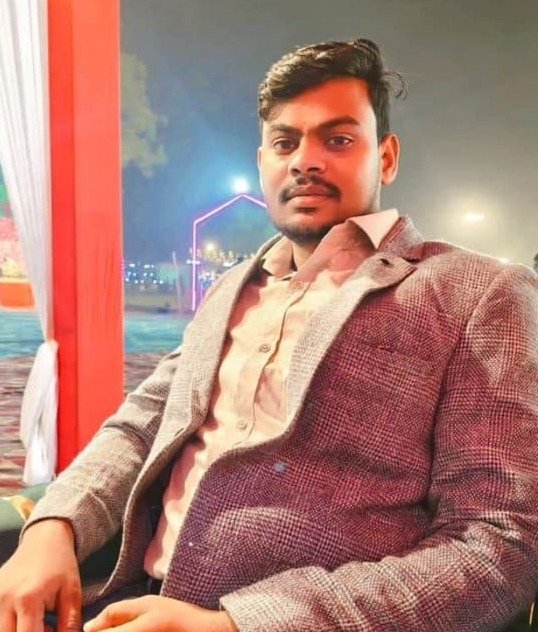
Ankit Kushwaha
Founder & Web Developer, Resizer Photo
Ankit Kushwaha is the founder of Resizer Photo. He built this website himself and works on it as a developer and web developer. You can see his profiles below. If you want to know anything more, please get in touch.
Have Questions or Suggestions?
Use the contact page and you will find more information there. And once again, this is a completely free platform that you can use safely and privately, at no cost. Thank you for visiting our website.
📧 Email us at: amansingh74826839@gmail.com
📨 Contact Us