
Multi-Format Image Converter
WebP, PNG, JPG, HEIC Supported
In today’s digital age, it’s crucial to have the correct image format on different platforms. If the image size is too large or the format isn’t supported, both website speed and user experience are affected. A reliable image converter can be an easy solution. This online tool allows you to change the image format, increase or decrease the size, and control compression.
This image converter is especially useful for bloggers, web developers, students, and digital marketers. It helps you optimize your images without any complicated procedures. The steps below will help you understand how this tool works and where to upload your three images.
Step 1 – Upload Image
In this step, the user uploads their image to the tool. A “Tap or Click to Select Image” option appears on the screen, allowing you to select your file.
If your image isn’t uploading or needs to be formatted, this is the first step. Simply select the file and proceed.
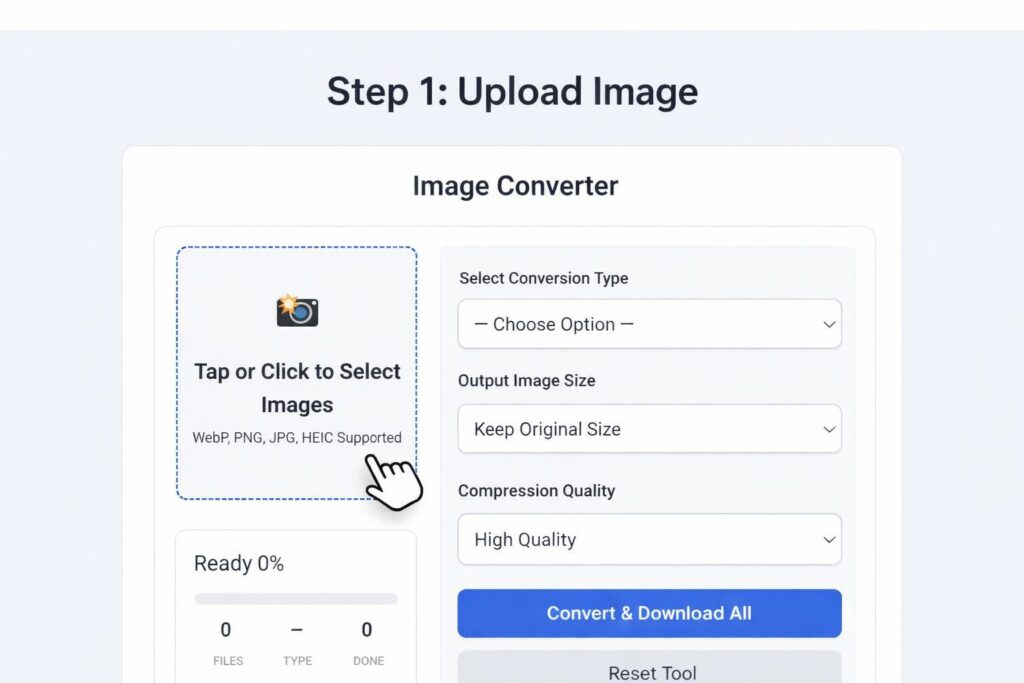
This image will show how the user selects the file and begins the process.
Step 2 – Choose Image Preview and Settings
After uploading the image, the next step is to select the preview and settings. Here, the user sees the uploaded image, such as a sample image of an animal, and can also see the progress status.
Now you can choose the output size. If you want a custom size, you can set the width and height. You can also choose a compression level, such as Low or Medium.
For example, if you have a 5MB image and want to make it lighter for the website, you can reduce its size by choosing Medium Compression.
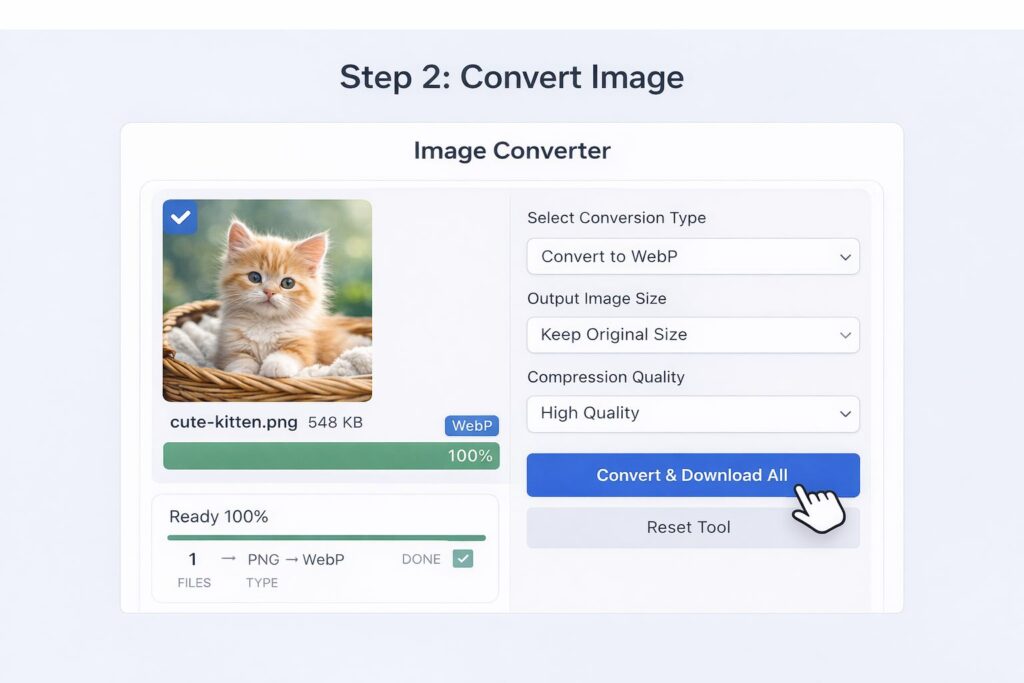
This will give users an idea of what the image looks like after uploading and how to choose the settings.
Step 3 – Convert and Auto Download
In the final step, the user clicks the “Convert” or “Convert & Download” button. Once the conversion is complete, the file is automatically downloaded.
This process is quick and easy. No sign-up or additional steps are required.
For example, if you reduced the image size and selected a new format, the finished file will download as soon as you press the Convert button. This is the biggest highlight of this image converter – fast and automatic results.
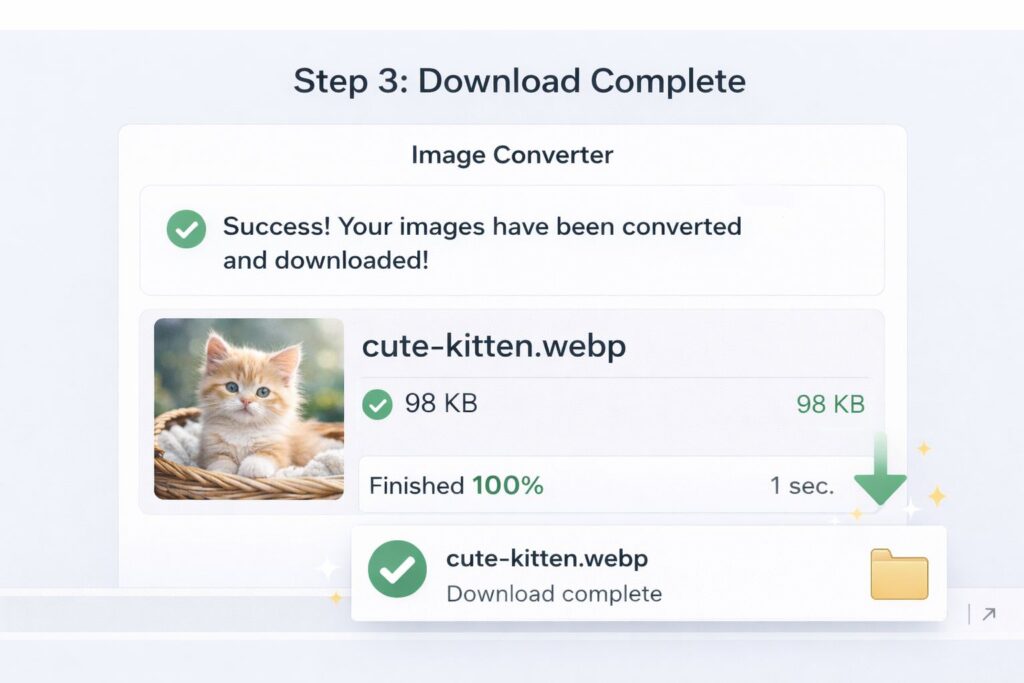
Why is an image converter important for SEO and website speed?
Images with the right size and compression improve website loading speed. A fast website directly impacts search engine rankings.
When you use this image converter, your images are optimized, resulting in:
Faster website loading
Improved user experience
Improved SEO performance
Storage savings
Related Post :- Resize Image in KB Online – Reduce Image Size to 20KB, 50KB, 100KB & 200KB Easily
Conclusion
If you’re looking for a simple, safe, and effective image converter, this tool is perfect for you. Uploading images, choosing the size and compression, and downloading instantly are all incredibly easy.
Following the three steps above, you can upload your Step 1, Step 2, and Step 3 images to the correct location. This will make your blog post look more professional and user-friendly.