
PNG to JPG Converter
Apni PNG images ko turant JPG format mein badlein
Click here to select PNG images
Selected: 0 Images
Converting Images…
✅ JPG Conversion Complete
In today’s digital age, image files are used almost everywhere. Whether it’s a website, social media, blog posts, or a project—images are needed everywhere. However, we often encounter images in different formats, such as PNG, JPG, and JPEG.
Of these, PNG to JPG Converter are the most commonly used image formats. Often, we need to convert PNG images to JPG because JPG files are smaller and more suitable for websites or social media.
In such situations, a PNG to JPG converter proves to be a very useful tool. With this tool, you can convert your PNG images to JPG format in just a few seconds. Fortunately, this doesn’t require installing any heavy software. You can use this tool directly in your browser.
What’s the difference between PNG and JPG formats?
PNG to JPG Converter are both popular image formats, but they serve slightly different purposes.
PNG (Portable Network Graphics) format offers excellent image quality and transparency. Therefore, PNG is commonly used in logos, graphics, and design.
On the other hand, JPG (Joint Photographic Experts Group) format is more suitable for photos and large images because of its smaller file size. This also improves website speed.
For this reason, it’s often necessary to convert PNG images to JPG.
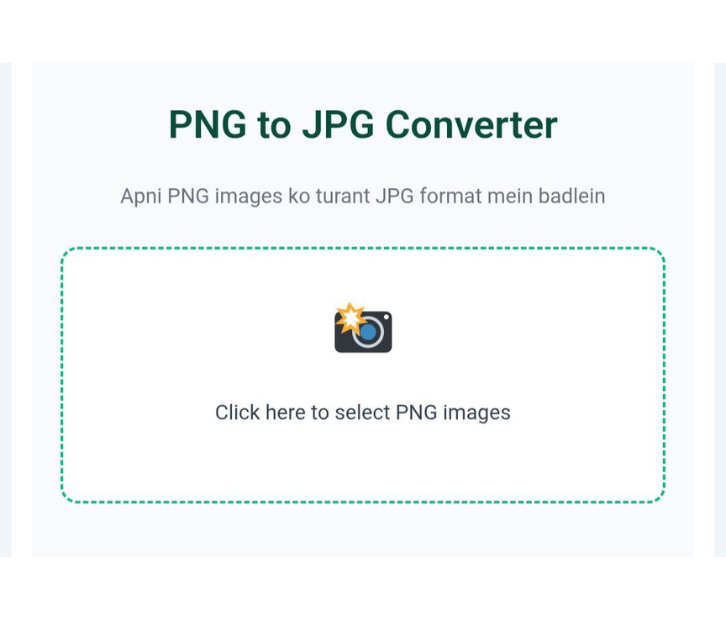
Step 1: Upload a PNG Image
The first step to converting PNG to JPG is to upload your image.
The tool usually has an Upload Image or Choose File button. By clicking this button, you can select a PNG image from your computer or mobile device.
As soon as you upload the image, it appears in the tool and the conversion process begins.
Step 2: View Image Preview
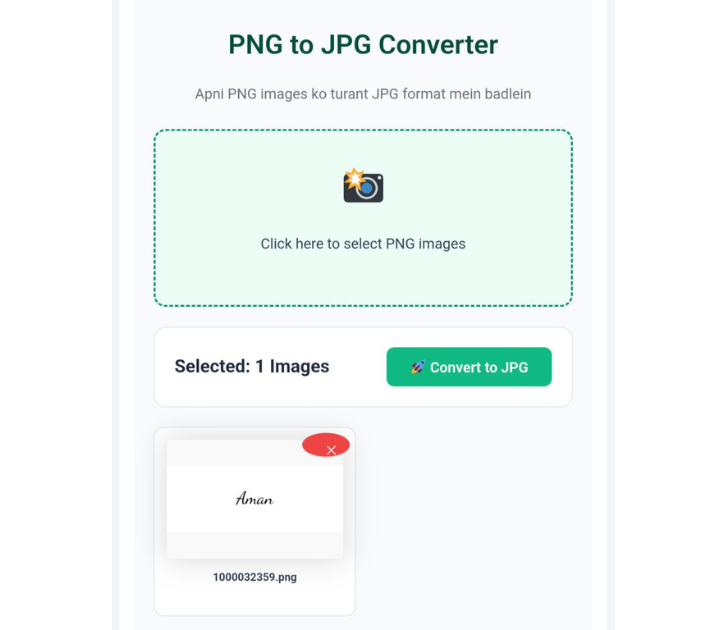
Once the image is successfully uploaded, the next step is to preview it.
In this step, the tool shows you your uploaded PNG image so you can ensure you’ve selected the correct file.
Some tools also show how the image will appear after conversion. This gives users an idea of what the JPG file will look like.
Step 3: Download JPG Image
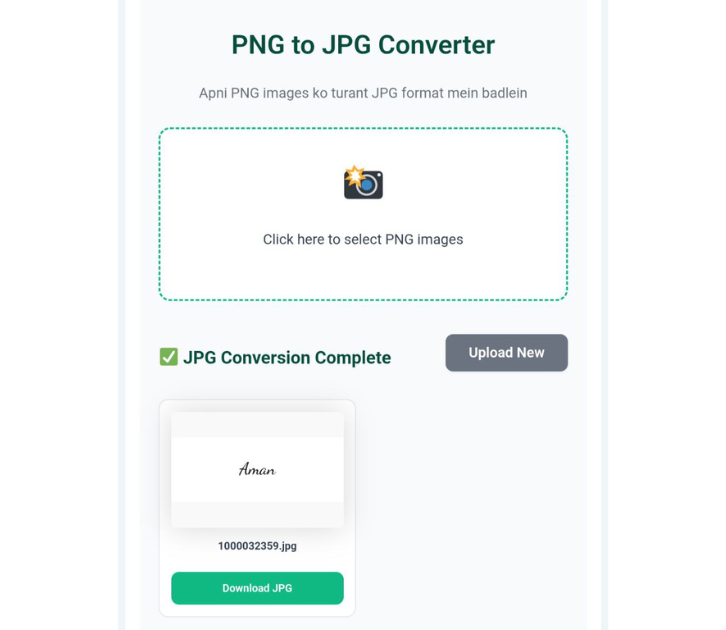
Once the conversion is complete, you can download the JPG file in the final step.
The tool usually has a Download JPG or Download Image button. Clicking this button saves your PNG image to your device in JPG format.
Now you can use this image anywhere, such as:
Blog Posts
Websites
Social Media
Presentations
Digital Projects
Why Use a PNG to JPG Converter?
Using an online converter tool has many benefits. The biggest advantage is that it’s very easy and fast.
Using this tool, you can:
Instantly convert PNG to JPG Converter
Reduce file size
Optimize images for websites
Convert images without any software
Furthermore, this tool works easily on both mobile and computers.
When is it necessary to convert PNG to JPG?
There are times when using PNG images is not appropriate. For example:
When you need to increase website speed
When you need to reduce file size
When you need to upload images to social media
When you nee
d to send images via email
In these cases, converting PNG to JPG is a good option.
Conclusion
Related Post :- PNG Converter – Convert Images Fast in 3 Easy Steps
Both PNG and JPG are important image formats, but in many situations, the JPG format proves to be more useful.
If you need to convert your PNG image to JPG quickly and easily, an online converter tool is the best option.
Just three easy steps – upload the image, preview it, and download the JPG file. Your image is ready in seconds.